


Mac

Starting at $1,299.
Shop now
Trade in your old device
and save on the latest Mac laptops
Exclusions, terms and conditions apply.
Learn more
Compare Mac models

Shop Mac
Shop all

MacBook Air
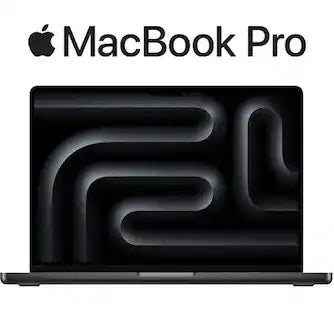
MacBook Pro

iMac

Mac mini

Mac Studio

Never used a Mac? No problem. Getting started is a breeze if you’re switching from PC to Mac.

Get more done faster without slowing down. That’s the power of Apple silicon.

Your MacBook Pro* See Disclosure won’t quit until you do. And its performance won’t change when it’s not plugged in.
Shop Mac accessories
Shop all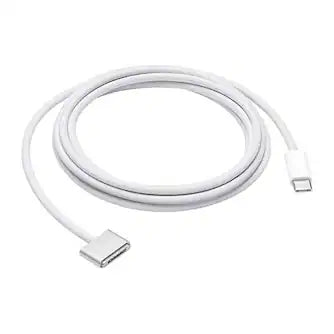





Disclosures
*Up to 24 hours of battery life applies to MacBook Pro with M5, M5 Pro and M5 Max, and the 16-inch MacBook Pro with M4 Pro. Battery life for Apple TV app movie playback. Battery life varies by use and configuration. See apple.com/batteries for more information.
Buying a Mac computer.
Types of Mac computers.
Mac computers give you power and efficiency, and their graphic abilities make Apple laptops and desktops favorites among many visual artists, designers and video editors.
See moreSee less
Comparing the Apple Mac laptop family reveals two categories: the MacBook Air and the MacBook Pro, both of which are available in variations of screen size, processing power and other specs. The MacBook Air, as its name suggests, prioritizes an extremely thin, lightweight and portable design, which makes it a great option if you are choosing a laptop for school. And the MacBook Pro offers configurations with more power, storage space and processing ability.
Meanwhile, the Apple desktop series includes the iMac —a design that builds all the hardware directly into the display for a single-unit design, the Mac Studio —which offers configurations with high-end processing speeds and abilities, and the Mac Mini —a great option if you want a slimmer design that still offers quality specs.
Deciding which Apple computer is right for you.
Choosing which Mac to buy is about identifying what you need to support your computer activities. The first big choice you will have, of course, is whether to go with a Mac laptop or a Mac desktop computer. That depends on whether you need your device to be portable. If you’re selecting the best Mac for a workstation, either in the office or at home, you might enjoy the better specs available from desktop designs, but you won’t be able to take your work to the local coffee shop.
It’s useful to look at the processing and memory requirements for the software you use. You can also do a little reading to help you answer questions like “ how much memory do I need on my computer ”?
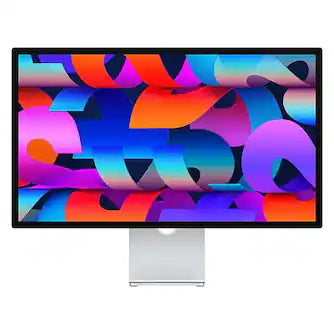
You can expand the capabilities of your Mac computer when you buy Mac accessories and add-ons, like a Mac external hard drive or a quality computer monitor. You may also want to connect a printer to your Mac for printing photos, business documents, school papers and more. And of course, you need Wi-Fi and networking technology that gets you the best online experience at home or at work.